
Add videos
Save from YouTube, podcasts, courses, and more in one click from any device.
QueueFY is the app that you're looking for to organize all your media. You can create playlists with media from multiple sources and play or watch without interruption.

The public beta is . There are only a few spots left.
Save from YouTube, podcasts, courses, and more in one click from any device.
Group everything into clean folders so your content is easy to find and enjoy.
Keep playback going automatically between items, without interruptions or tab switching.
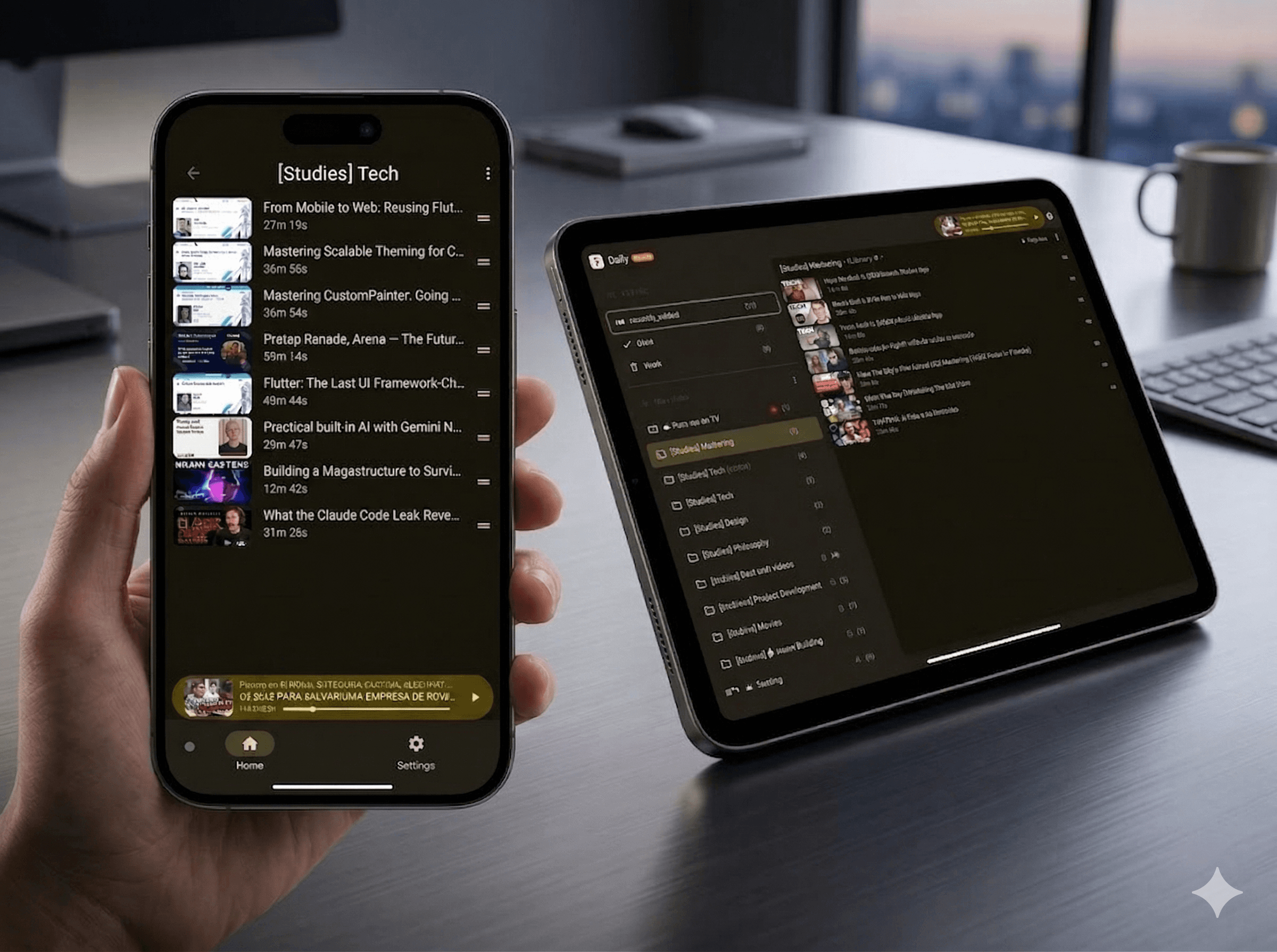
Qefy was built with attention to detail and a focus on practical media workflows.
Join the public beta for early access as new capabilities roll out.
HOW IT WORKS
Use the browser extension or the app to save YouTube videos, podcasts, courses, and articles from 30+ sources in one click.
Use the Qefy app or extension to sort saves into folders and queues—you shape the structure. When you want help, AI can suggest folders, and Clean my mess speeds up batch sorting while you review and confirm.
Qefy runs as a web app—open it in the browser on desktop, iPhone, or Android without relying on a native app on every platform. On desktop, our extension (Chrome, Arc, Brave, Edge, Opera) adds quick-save and in-page controls so it feels closer to a built-in companion. Sync back to YouTube so your queue stays aligned wherever you listen.
QEFY FEATURES
Made with attention to detail to make your organization easier.
Centralize everything in the QueueFy App: this is where you organize your media, control playback, add new items, and manage settings like speed, themes, and folder rules. Keep autoplay flowing, sync across devices, clean your backlog, and jump back in exactly where you stopped.
Browse tables, queues, and saved items in one place—built for fast scanning, sorting, and reordering without losing context.
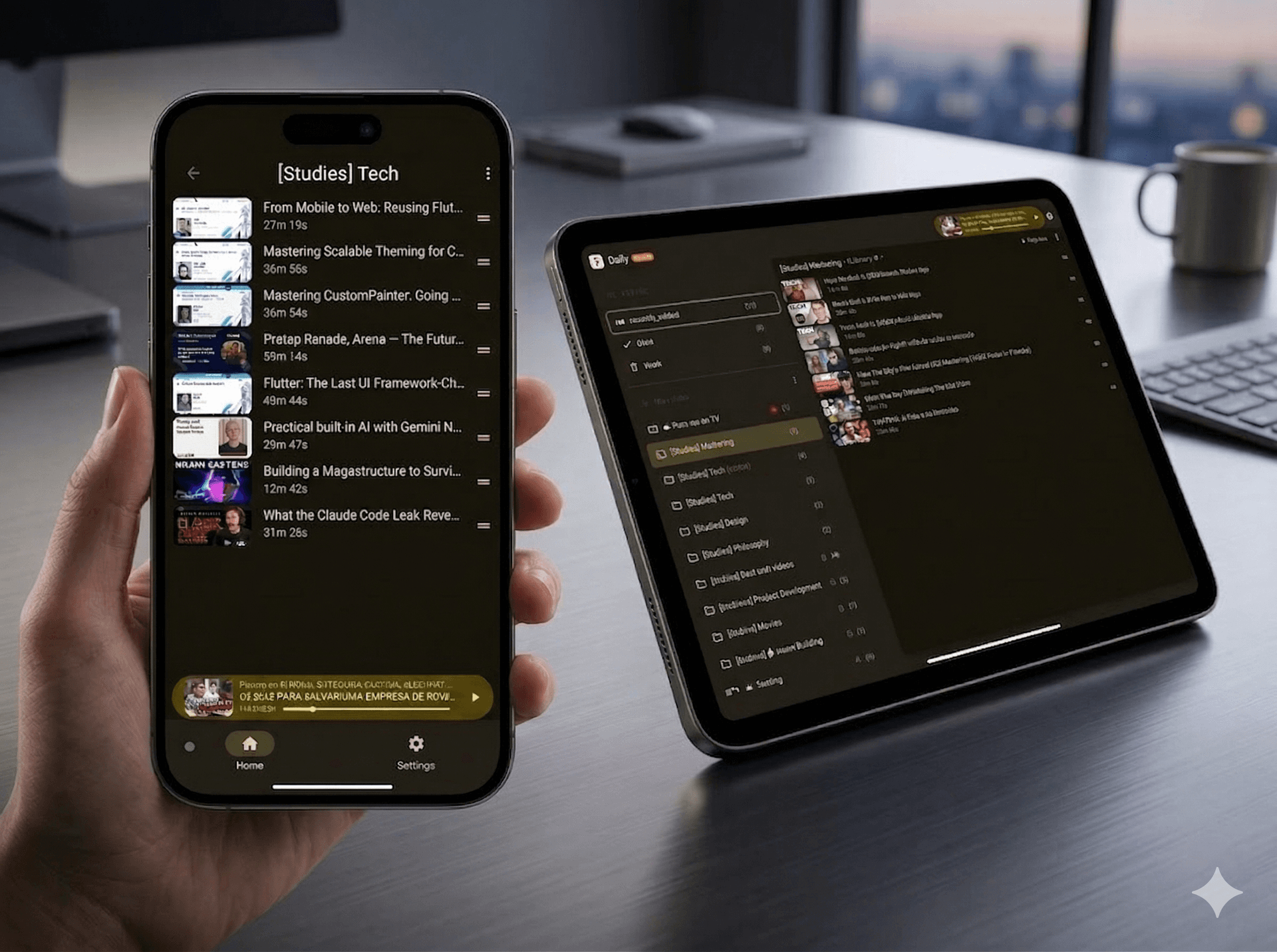
Centralize everything in the QueueFy App: this is where you organize your media, control playback, add new items, and manage settings like speed, themes, and folder rules. Keep autoplay flowing, sync across devices, clean your backlog, and jump back in exactly where you stopped.
Browse tables, queues, and saved items in one place—built for fast scanning, sorting, and reordering without losing context.
FAQ
Yes—Qefy includes a generous free plan so you can try the core workflows at no cost. For the complete experience, choose one of our paid plans. Compare all plans.
Yes—Qefy is deeply integrated with YouTube. With the browser extension, you can add videos to your queue straight from thumbnails and search results, without juggling extra tabs. While you watch, the in-page mini-app keeps playback and queue controls handy. You can also sync Qefy folders with YouTube playlists so the same lists open on a smart TV, console, or anywhere YouTube runs.
Qefy's web app runs in the browser on any desktop or laptop. On iPhone, iPad, and Android you can use that same web client in Safari, Chrome, or another modern browser—or install it as a PWA for an app-like shortcut on your home screen. The Qefy extension runs in Chromium-based browsers (Chrome, Arc, Brave, Edge, Opera, and other Chromium builds). For the most complete experience, use the web app together with the extension: quick-save from thumbnails, in-page controls, and the full capture-and-queue workflow.
It scans your open YouTube tabs and uses AI (when enabled) to suggest folders before saving. You review each item and confirm—Qefy never closes tabs without your permission.
Yes—you can save, organize, and manage your queue entirely from the web app; the extension is optional. The complete experience—especially autoplay that moves you between items and sites the way Qefy intends, plus in-page playback and progress tracking tied to the extension—is only available with the Chromium extension. On web-only, choosing play typically opens the provider (for example YouTube) in a new tab instead of the unified in-page player, so you don't get the same cross-site autoplay or extension-side tracking behavior.
Yes—for organizing your library. Qefy is offline-first: you can add items, edit folders, and keep structuring your queue on flaky or missing internet, then everything syncs when you are back online so your flow is not interrupted mid-session. Playback is different: Qefy does not download videos or audio for offline viewing or listening yet, so streaming providers (for example YouTube) still need a working connection. True offline media downloads are planned for the future, but they are not available today.
Yes. Connect your YouTube account and Qefy can pull in your existing playlists as folders, letting you manage them inside Qefy and sync changes back to YouTube.