
Handcrafted and designed for peoplewithADHD
Reduce mental overhead with folders, predictable playback, and one capture path.
Join the waitlist for early access as new capabilities roll out.
By the QueueFy teamLast reviewed:
Quick answer
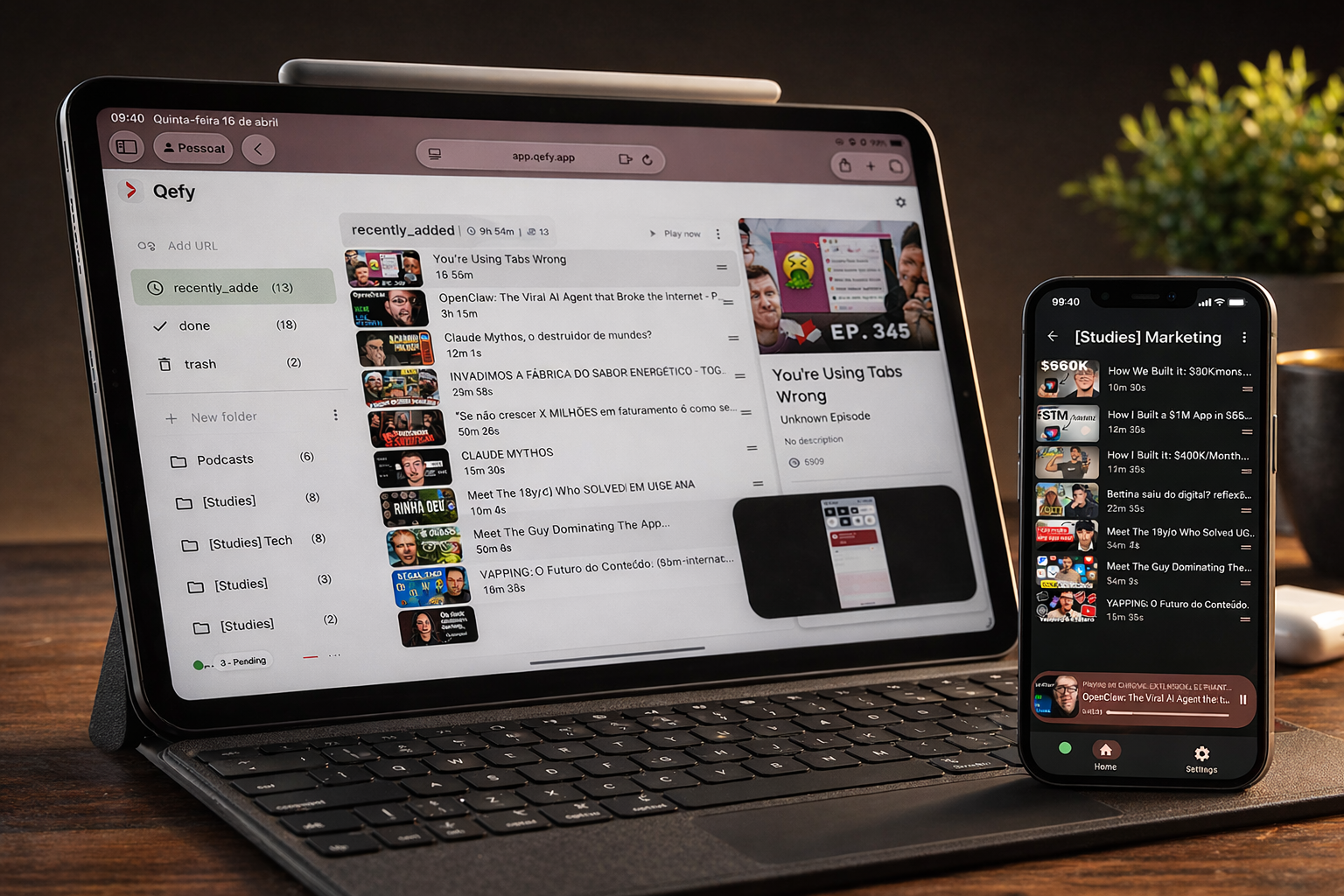
ADHD-friendly media workflows need less friction at capture and fewer decisions at playback. QueueFy externalizes the part your working memory struggles with: save in one click while interest is hot, park items in clear folder boundaries, and start a bounded queue session instead of reopening five apps. Organization-in-time is often the hard part — QueueFy is not treatment, but it can carry some of that load for video and audio you genuinely want to finish.
Note: Native iOS and Android apps are in development (targeting Q3 2026). Cross-device sync works today through the web app in your mobile browser plus the desktop browser extension.
Key takeaways
- ADHD-friendly media workflows need less friction at capture and fewer decisions at playback. QueueFy externalizes the part your working memory struggles with: save in one click while interest is hot, park items in clear folder boundaries, and start a bounded queue session instead of reopening five apps. Organization-in-time is often the hard part — QueueFy is not treatment, but it can carry some of that load for video and audio you genuinely want to finish.
- Extension-first capture during attention spikes — save without opening a new app, naming a file, or breaking flow.
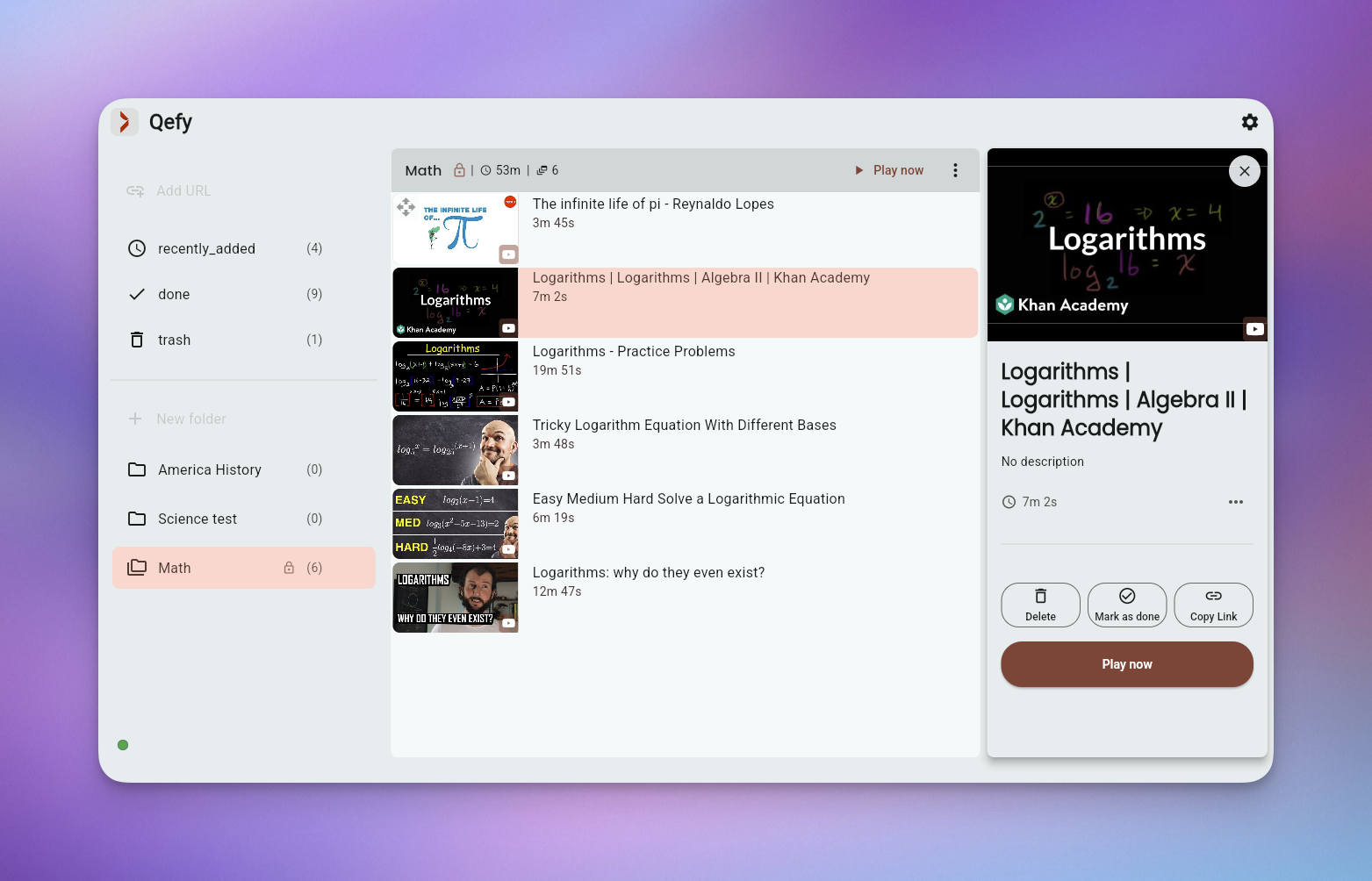
- Explicit folder boundaries reduce overwhelm: one active queue at a time instead of an infinite, undifferentiated backlog.
- Queue playback removes "what should I watch next?" — the order is decided once, when you have capacity to sort.
How QueueFy helps this audience
Most people save more media than they finish in a week — which is why a system that turns discovery into a repeatable routine matters. These benefits focus on how QueueFy reduces capture friction and keeps your queue actionable.
- Extension-first capture during attention spikes — save without opening a new app, naming a file, or breaking flow.
- Explicit folder boundaries reduce overwhelm: one active queue at a time instead of an infinite, undifferentiated backlog.
- Queue playback removes "what should I watch next?" — the order is decided once, when you have capacity to sort.
- Speed control and autoplay support hyperfocus sprints and shorter focus windows alike.
- Clean my mess batches tab triage so you are not manually closing twenty YouTube tabs one guilt cycle at a time.
- Simple structure you can grow into — start with Inbox + This week and add folders only when the system still feels calm.
Use cases
Use cases below show how to bundle mixed media into predictable sessions so you finish what you save — whether that is a commute queue, a weekend catch-up, or a focused study block.
- Focus sprint watch queue: one folder, three videos, speed at 1.5×, phone on Do Not Disturb. (~15 min setup)
- Topic-based learning capsules: "Python basics" and "Design inspiration" stay separate so you do not context-switch mid-session. (per sprint)
- Backlog triage without tab chaos: weekly Clean my mess pass, move keepers to folders, let the rest go without shame. (weekly reset)
- Commute listening routine: audio-only queue autoplay so you are not picking the next episode at every red light. (as needed)
Frequently asked questions
People naturally ask the same questions about switching tools, device support, and workflow fit. These FAQs answer the practical questions first, not marketing.
Is QueueFy a medical or therapeutic tool?
No. QueueFy is a media workflow app, not a diagnosis or treatment. Some people with ADHD find external structure helpful; your clinician remains the right source for medical advice.
Can I keep the setup minimal?
Absolutely. Many people use two folders — Inbox and Now — and ignore everything else until they want more structure.
How is this different from a todo app?
Todo apps track tasks. QueueFy tracks media you already found interesting and makes playback intentional — less "remember to watch," more "press play on the queue."
Will a big backlog stress me out?
It can, if everything lives in one list. Folders, triage, and deleting stale saves are built in so the backlog reflects current interest, not every spark from the last six months.
Does QueueFy block distractions inside YouTube?
Not today. QueueFy helps you leave the feed and consume from your queue. Pair it with platform settings or focus tools if you need stronger in-app blocking.