
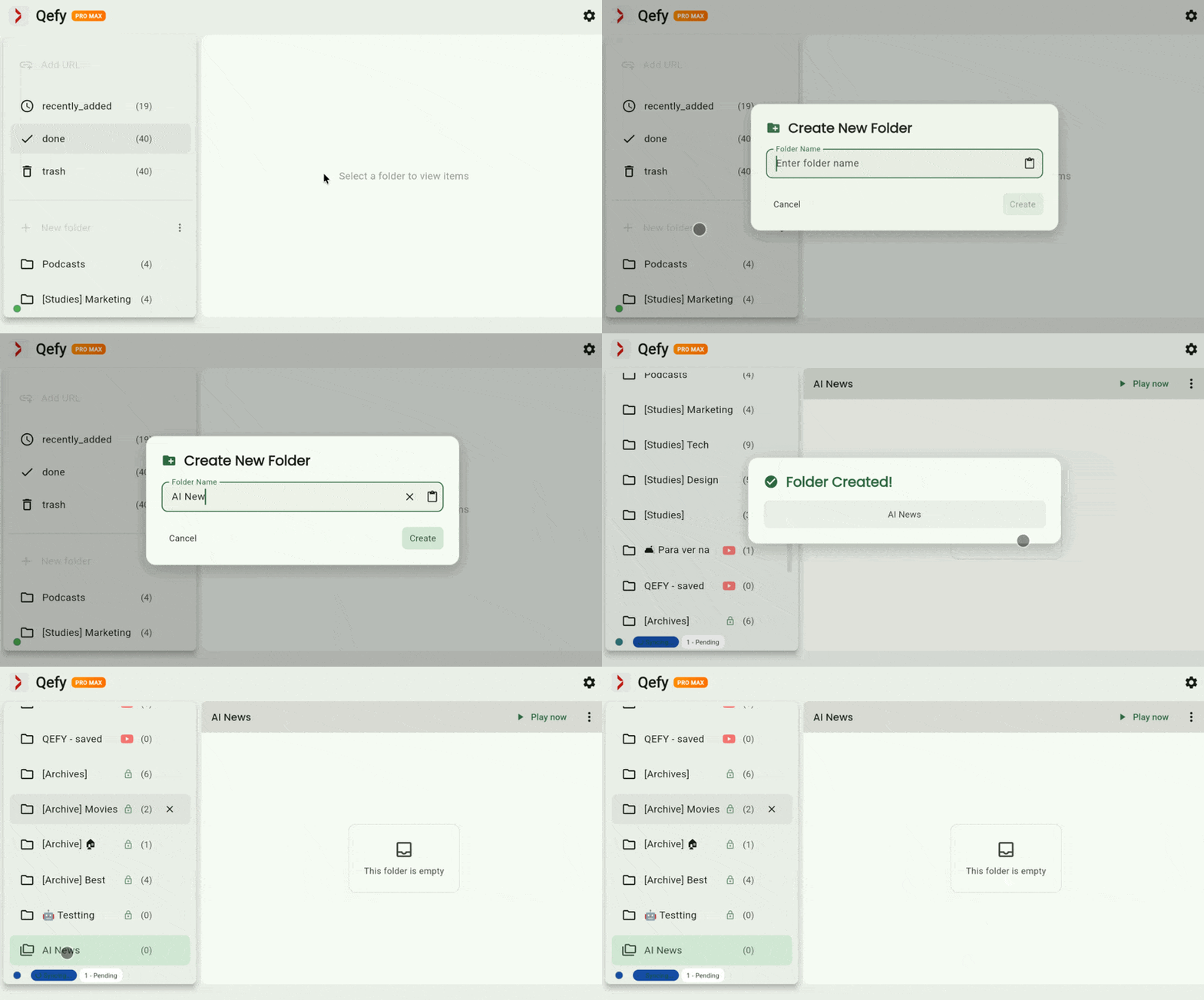
Create folders
Create one or more folders that match how you think—topics, projects, or moods.
Capture media, keep it organized, and watch or listen in one calm workflow.
Try QueueFyBy the QueueFy teamLast reviewed:
QueueFy is a media hub for people who save a lot from the web. It gives you folders, a queue, and playback controls so your “watch later” list becomes something you actually use.
Create one or more folders that match how you think—topics, projects, or moods.
Save items into a folder from the app or the browser extension when you find something worth returning to.

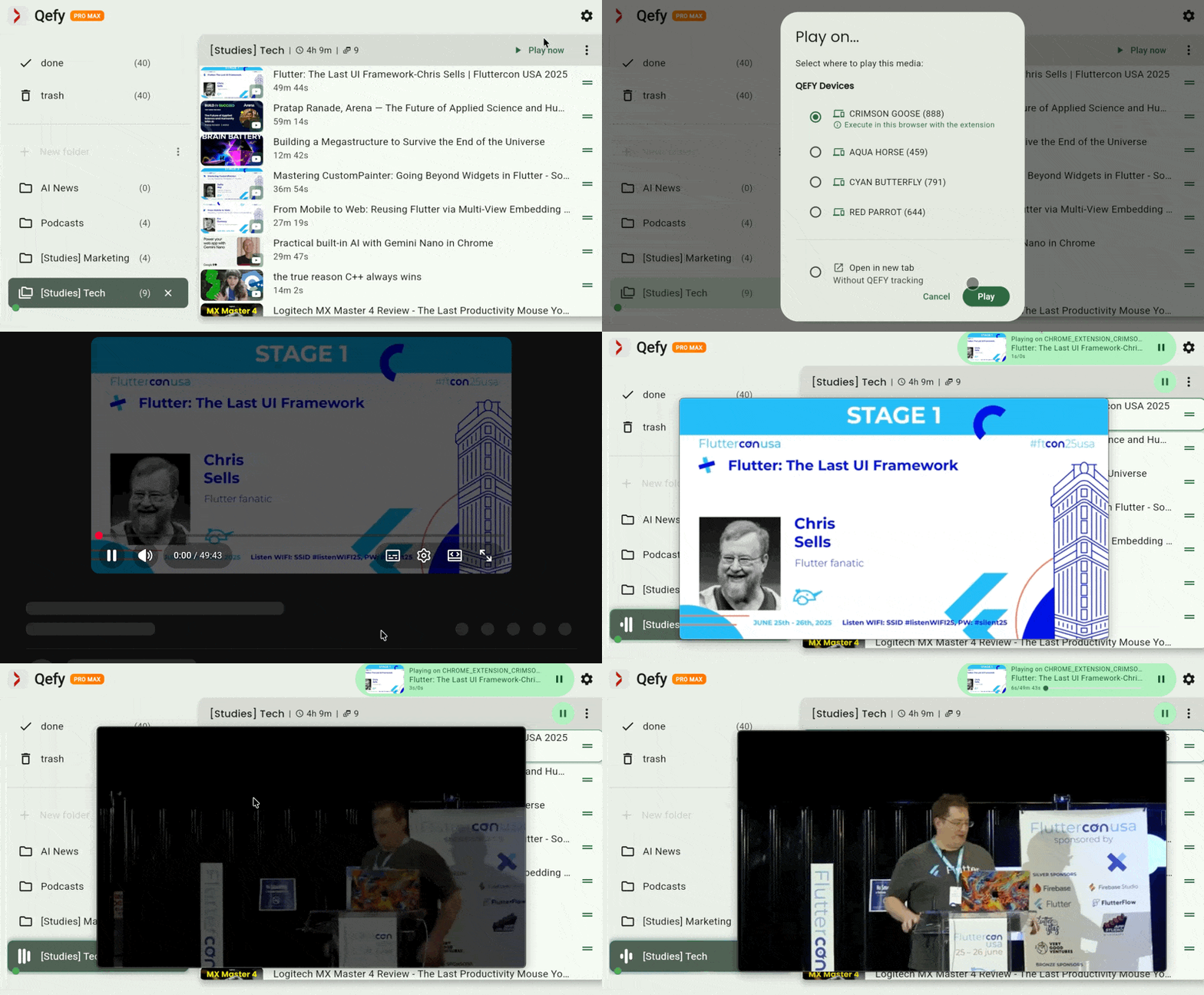
Open the folder, start playback, and use the queue to move through items in order. Reorder or skip when your plans change.
Confirm you are signed into the same account on web and extension. Check the folder you picked, then look in Done or Trash if you moved items recently.
Some sites require opening the original page. Use Open on source from the queue, or save again from the extension while the tab is still open.
Refresh the web app, confirm you are online, and wait a few seconds after saves. If it persists, sign out and back in on both devices.
This is an overview to get you oriented. Step-by-step screenshots, edge cases, and platform-specific notes are on our roadmap for Q3 2026 — this page will grow as those ship.
Yes — see the feature walkthrough with a short demo of how this works in QueueFy today.