
Handcrafted and designed for dailycontentconsumers
High-volume consumption needs a system, not another scattered save button.
Join the waitlist for early access as new capabilities roll out.
By the QueueFy teamLast reviewed:
Quick answer
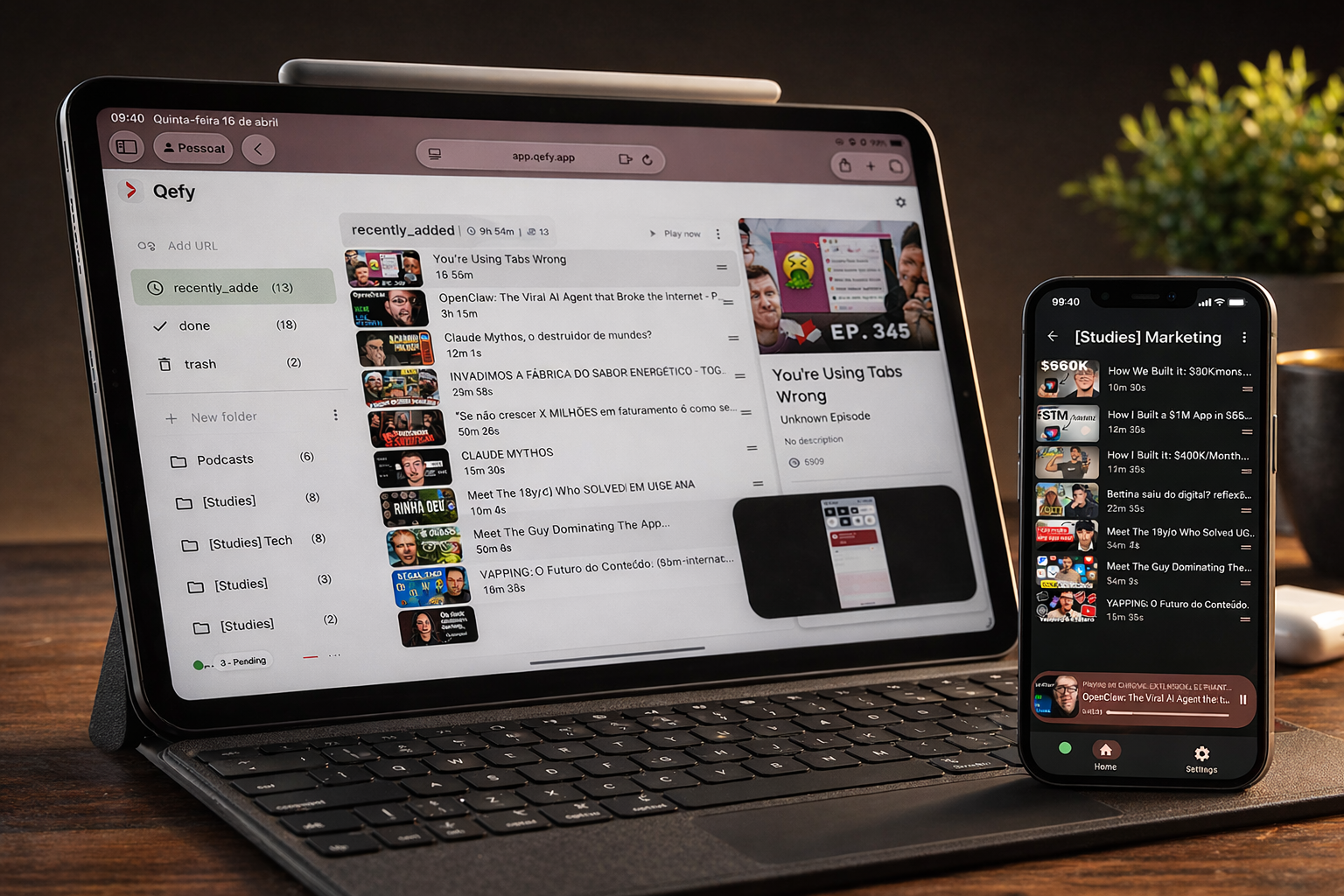
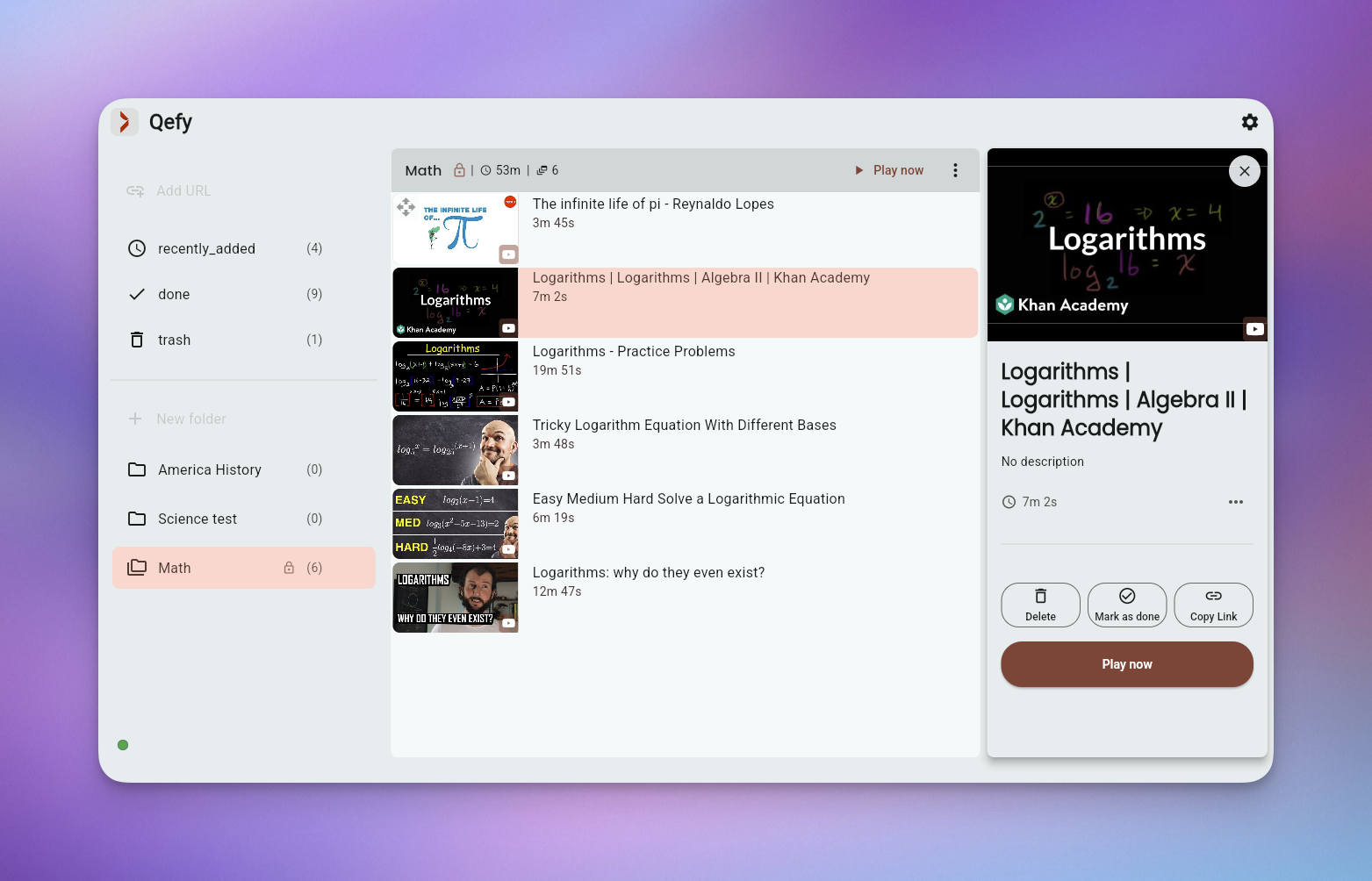
Daily consumers juggle YouTube, TikTok saves, podcast episodes, newsletter links, and course modules — often before coffee. Platform-native watch-later lists do not talk to each other, so high intake becomes high amnesia. QueueFy centralizes capture through one browser extension, routes saves into rhythm-based folders (Morning, Commute, Wind-down), and runs autoplay queues so each day has a default "what's next" instead of re-negotiating with three apps.
Note: Native iOS and Android apps are in development (targeting Q3 2026). Cross-device sync works today through the web app in your mobile browser plus the desktop browser extension.
Key takeaways
- Daily consumers juggle YouTube, TikTok saves, podcast episodes, newsletter links, and course modules — often before coffee. Platform-native watch-later lists do not talk to each other, so high intake becomes high amnesia. QueueFy centralizes capture through one browser extension, routes saves into rhythm-based folders (Morning, Commute, Wind-down), and runs autoplay queues so each day has a default "what's next" instead of re-negotiating with three apps.
- Single capture path across sites while you browse — one habit regardless of source.
- Morning, commute, and evening folders mapped to when you actually consume.
- Autoplay queue to keep sessions moving through news roundups or podcast backlogs.
How QueueFy helps this audience
Most people save more media than they finish in a week — which is why a system that turns discovery into a repeatable routine matters. These benefits focus on how QueueFy reduces capture friction and keeps your queue actionable.
- Single capture path across sites while you browse — one habit regardless of source.
- Morning, commute, and evening folders mapped to when you actually consume.
- Autoplay queue to keep sessions moving through news roundups or podcast backlogs.
- Cross-device sync so saves at work become tonight's queue on the couch.
- Clean my mess for end-of-day tab triage when intake outran organization.
- Speed control to skim daily news explainers without losing the thread.
Use cases
Use cases below show how to bundle mixed media into predictable sessions so you finish what you save — whether that is a commute queue, a weekend catch-up, or a focused study block.
- Daily news and explainer stack: 15-minute morning queue, autoplay through five updates. (evening)
- Podcast commute routine: audio-only folder, hands-free autoplay there and back. (weeknight)
- Nightly wind-down watch queue: no algorithm — only what you saved intentionally. (weekend)
- Platform rotation: YouTube weekdays, long-form podcasts on weekends — separate folders, same capture tool. (daily)
Frequently asked questions
People naturally ask the same questions about switching tools, device support, and workflow fit. These FAQs answer the practical questions first, not marketing.
Does QueueFy replace YouTube, Spotify, or TikTok?
No. You still watch and listen on the original platforms. QueueFy decides what to open next and keeps saves from vanishing across apps.
Can I handle high save volume?
Yes. Folders plus Clean my mess exist because daily consumers save faster than they sort — triage is part of the workflow.
What if I save more than I can watch?
Delete freely. A daily consumer's backlog should reflect this week's interest, not a museum of every link since 2022.
Does autoplay work across platforms?
QueueFy queues items and opens them on their native platforms in order. You stay in control of session length.
Can I separate work and personal consumption?
Yes. Top-level Work and Personal folders with their own queues are a common daily setup.