
Handcrafted and designed for you
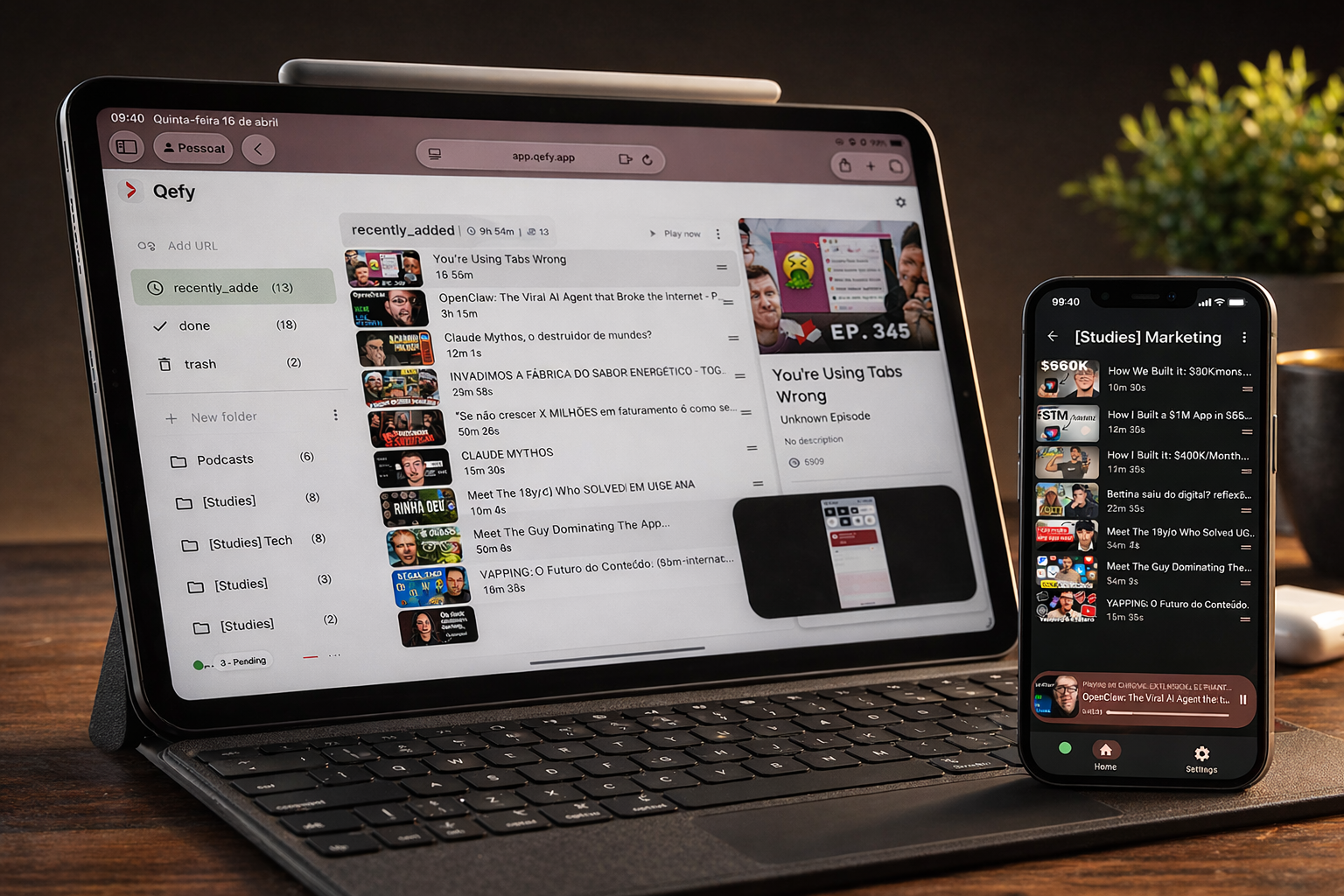
If your tabs are full and your watch-later list is chaos, QueueFy turns that noise into an executable queue.
Join the waitlist for early access as new capabilities roll out.
By the QueueFy teamLast reviewed:
Quick answer
QueueFy is for anyone who saves more media than they consume. Install the browser extension, drop videos and podcasts into folders as you browse, and run playback sessions with speed control and autoplay when you finally have time. You keep discovering content everywhere — QueueFy makes sure the good stuff does not disappear into a graveyard of open tabs.
Note: Native iOS and Android apps are in development (targeting Q3 2026). Cross-device sync works today through the web app in your mobile browser plus the desktop browser extension.
Key takeaways
- QueueFy is for anyone who saves more media than they consume. Install the browser extension, drop videos and podcasts into folders as you browse, and run playback sessions with speed control and autoplay when you finally have time. You keep discovering content everywhere — QueueFy makes sure the good stuff does not disappear into a graveyard of open tabs.
- One-click capture from Chrome, Brave, Edge, or any Chromium browser — no copy-paste, no "I'll remember this URL later."
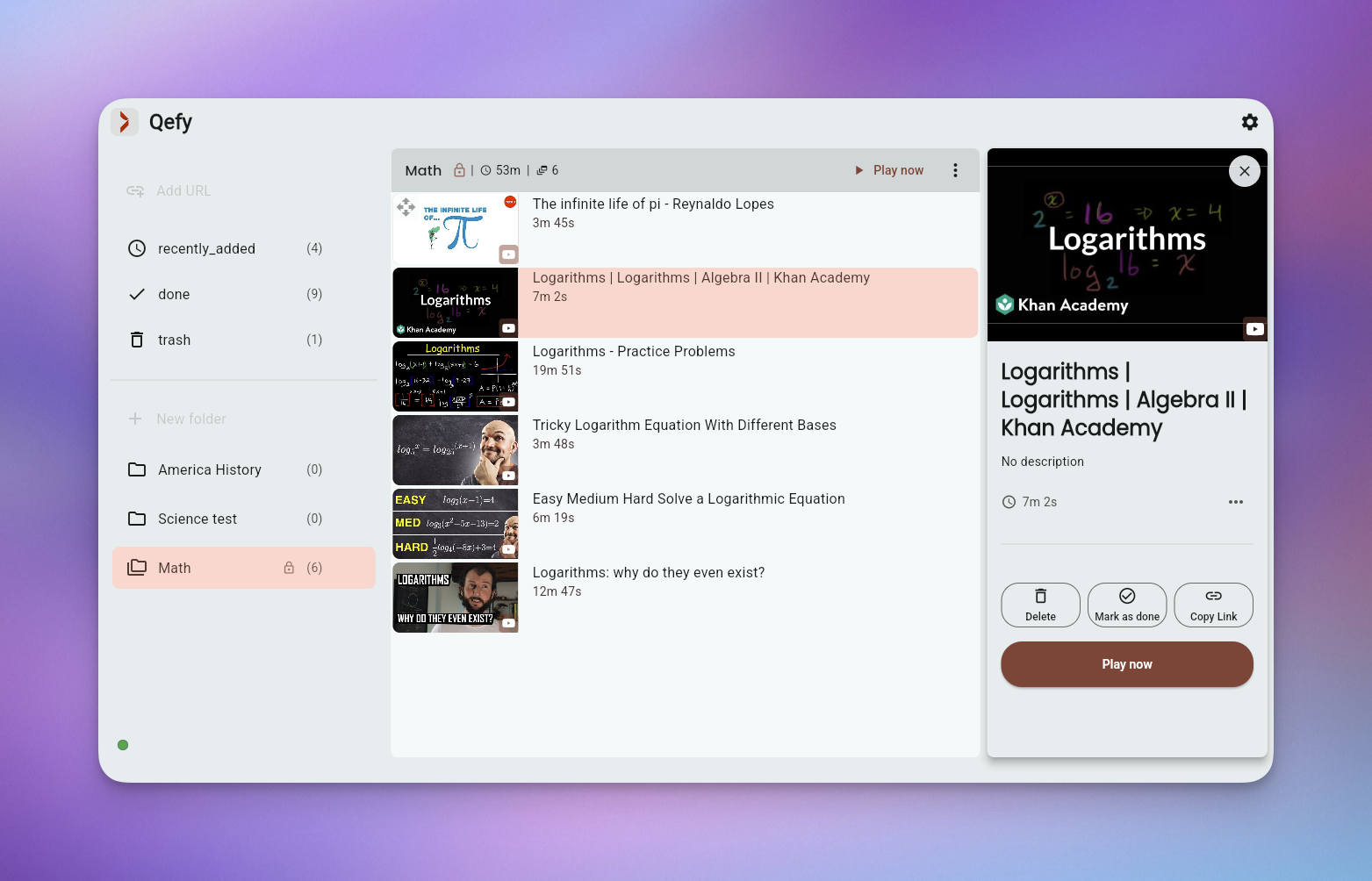
- Folder-based organization so your backlog has structure: learning, entertainment, work research, or whatever rhythm fits your week.
- Queue playback with speed control and autoplay — turn a 25-minute lunch break into real progress on a YouTube tutorial stack.
How QueueFy helps this audience
Most people save more media than they finish in a week — which is why a system that turns discovery into a repeatable routine matters. These benefits focus on how QueueFy reduces capture friction and keeps your queue actionable.
- One-click capture from Chrome, Brave, Edge, or any Chromium browser — no copy-paste, no "I'll remember this URL later."
- Folder-based organization so your backlog has structure: learning, entertainment, work research, or whatever rhythm fits your week.
- Queue playback with speed control and autoplay — turn a 25-minute lunch break into real progress on a YouTube tutorial stack.
- Clean my mess to triage a sprawl of YouTube tabs in one pass instead of closing them guilt-first.
- Cross-device sync on your QueueFy account — save on your laptop during the day, pick up the same queue on your phone at night.
- Roadmap items tagged SOON set honest expectations about what is shipping next, so you can plan around the product you have today.
Use cases
Use cases below show how to bundle mixed media into predictable sessions so you finish what you save — whether that is a commute queue, a weekend catch-up, or a focused study block.
- Weekly learning pipeline: one folder per skill, queue three videos every Sunday, finish them before adding more. (~20 min/week)
- Personal backlog cleanup: run Clean my mess on a month of saved tabs, sort into folders, delete what no longer matters. (~30 min once)
- Cross-device media routine: capture during work browsing, consume during commute or evening wind-down on another device. (daily habit)
- Weekend catch-up: a single "This weekend" folder with autoplay so you stop re-deciding what to watch every hour. (~2 hrs/weekend)
Frequently asked questions
People naturally ask the same questions about switching tools, device support, and workflow fit. These FAQs answer the practical questions first, not marketing.
How quickly can I start?
In minutes. Install the browser extension, create one folder (many people start with "Watch this week"), and save your first link. You do not need a complex setup on day one.
Is QueueFy beginner-friendly?
Yes. The default workflow is save → folder → play. You can stay at two or three folders forever, or grow into nested lists and immutable archives as your library grows.
Does QueueFy replace YouTube or Spotify?
No. You still watch and listen on the original platforms. QueueFy is the layer that decides what to open next and keeps your saves from getting lost across apps.
What if I already use Watch Later or bookmarks?
Those are fine for single-platform saves. QueueFy adds folders, cross-site capture, queue playback, and cleanup tools when your backlog spans YouTube, podcasts, courses, and articles.
Is there a free tier?
Yes. You can install the extension and start organizing before committing to a paid plan. Check the homepage for current plan details. — Compare all plans